Contact Info

 Odoo CRM
What does an Odoo CRM consultant do?
An Odoo CRM consultant designs how leads and opportunities flow through Odoo: capture, qualification, pipeline stages, sales team assignment, activities, quotations and reporting. As an independent Odoo CRM consultant, I map your actual sales process first, then configure Odoo CRM so it connects cleanly to Sales, Invoicing and marketing, and so lead sources and campaigns can be traced through to revenue rather than lost in spreadsheets.
Last reviewed by Vikas Saroj
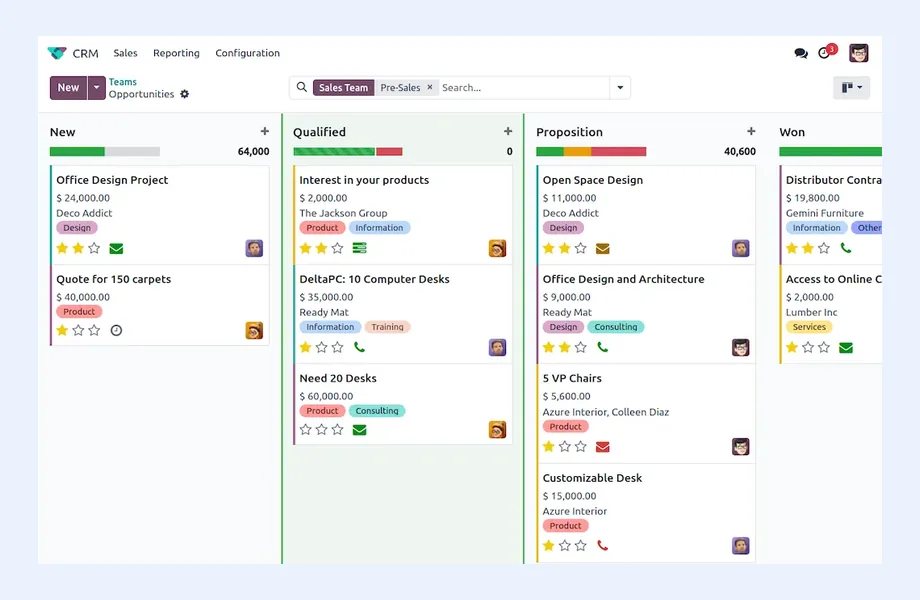
Odoo CRM is simple to start with: a pipeline in kanban, a few stages, and opportunities that turn into quotations. That simplicity is a strength, but it also means many companies switch it on without deciding what a lead is, who owns it, when it becomes an opportunity, or how marketing sources are recorded.
As an independent Odoo CRM consultant, I start with your sales process: where inquiries come from, how they are qualified, how territories or teams are split, what a quotation needs, and what management wants to see each week. Then I design stages, assignment rules, activities and reporting in Odoo to match.
Because I also work on SEO, paid media and lead generation, I pay particular attention to the link between marketing and sales. A CRM that records the true source of each lead lets you see which campaigns produce revenue, not just form fills.
 What I Do
I design Odoo CRM as part of the full order-to-cash chain, not as a standalone contact list.

Workshops with sales and management to document how inquiries are captured, qualified, quoted and won today, where deals stall, and what a clean target process should look like before configuring anything.

Stages with clear entry and exit criteria, separate pipelines per sales team where needed, lost reasons that actually get used, and probability handling that management can rely on.

Website forms, email aliases that create leads automatically, imports from events and lists, and duplicate handling, so every inquiry lands in Odoo with the right source information.

Sales teams, territories and rule-based lead assignment, with access rights that let salespeople see their own pipeline while managers see the whole team.

Activity types, planned follow-ups and email templates that keep deals moving, with automation used where it saves real effort rather than creating noise.

The handover from opportunity to quotation, price lists, optional products, online signature and payment where used, and confirmation into sales orders, delivery and invoicing.

Campaign, medium and source tracking on leads, consistent naming across ads and forms, and reports that connect marketing spend to opportunities and won revenue.

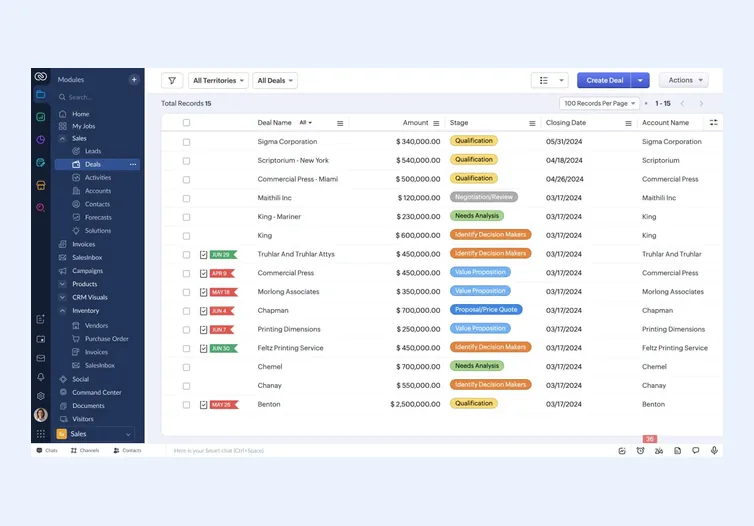
Moving contacts, companies, open opportunities and activity history from spreadsheets, HubSpot, Salesforce, Zoho CRM or another tool, with mapping and duplicate cleanup agreed first.
How I Work
Understand the sales process first
 Sales and marketing workshops
Lead and opportunity definitions
Stage criteria and ownership
Reporting needs agreed
Sales and marketing workshops
Lead and opportunity definitions
Stage criteria and ownership
Reporting needs agreed
Build the pipeline in Odoo
Teams, stages and rules
Lead capture channels
Source and campaign tracking
Quotation templates
Data migration test
Make it part of the routine
Role-based sales training
Pipeline review routine
Dashboard for management
Adjust after first weeks
Odoo CRM is at its best when it is part of a wider Odoo system. An opportunity becomes a quotation, the quotation becomes a sales order, the order drives delivery and invoicing, and the salesperson can see stock, payment status and order history without leaving Odoo. For businesses that sell products or defined services and want one system from lead to cash, that integration is the main reason to choose it.
Odoo CRM usually fits well when:
It may not be the best fit when:
In those cases a dedicated CRM such as HubSpot or Salesforce, integrated with your ERP, can be the better answer. I will tell you which way I would go and why.
The most common problem I see in Odoo CRM is not missing features. It is unclear definitions. If one salesperson creates an opportunity for every email and another only when a proposal is requested, pipeline reports are meaningless.
I work through a few design decisions with your team:
These definitions go into a short CRM playbook, so new salespeople use the system the same way. This is the same thinking I bring to any CRM consulting engagement, applied to Odoo's specific model.
A CRM is most useful when you can answer one question with confidence: which marketing activities produce revenue? Odoo records campaign, medium and source on leads and opportunities, and those values can carry through to quotations and sales orders. The challenge is making that data consistent.
What I set up:
Odoo also has its own Email Marketing app, and further marketing apps such as Marketing Automation and SMS, some of which depend on edition or paid credits. I check what you actually need before adding apps. This connection between CRM data and acquisition is where my paid marketing and B2B lead generation work overlaps with ERP consulting.
Odoo CRM stops at the opportunity. The value comes from what happens next. When a salesperson creates a quotation from an opportunity, it uses Odoo Sales, with your products, price lists, discounts, payment terms and quotation templates. Confirmation turns it into a sales order that drives the rest of the system.
The connections I design and test:
Designing CRM and Sales together avoids the classic gap where the pipeline looks healthy but orders, deliveries and invoices tell a different story.
Migrating into Odoo CRM usually covers companies, contacts, open opportunities, activities and sometimes notes or email history. I recommend migrating what the sales team will actually use, cleaning duplicates before import, and agreeing field mapping, owners and stage mapping in a sheet that sales leadership signs off. Closed deals from years ago rarely need full detail in the new system.
Honest limitations to plan for:
As a freelance Odoo consultant, I have no license to sell and no preference for one CRM over another. I can help you decide whether Odoo CRM or a separate CRM is right, design and configure it, coordinate an implementer, or review a pipeline that nobody trusts. For the broader platform picture, see Odoo consulting and the Zoho vs Odoo comparison.

Tell me about your business and current systems. I’ll suggest the most sensible first step.
Book a Consultation
Not sure which ERP you need?
Share your business requirements with me and I will help you understand the right process, architecture and platform before implementation.
Platforms
 By Country
Pages written for each market: local tax, e-invoicing, data hosting, migration sources and how the work runs remotely there.
FAQ
Yes, the core CRM app with pipeline, stages, activities and lead management is part of Community. Some related features and apps, such as VoIP, marketing automation and certain enrichment services, depend on Enterprise or paid credits. Feature lists change between versions, so I check your edition against your requirements before configuration.
If Odoo runs or will run your sales orders, inventory and invoicing, Odoo CRM avoids an integration and gives salespeople operational data in one place. If marketing automation, advanced forecasting or complex account management is the core need, a dedicated CRM integrated with Odoo can be better. I assess both against your actual process.
It can track campaign, medium and source on leads and carry them to opportunities and orders. Whether the reports are reliable depends on consistent tracking parameters, form setup and naming. I design that tracking and the reports so you can see leads, won deals and revenue by source.
Yes. I map companies, contacts, opportunities, owners and activities from your current tool or spreadsheets, clean duplicates, run test imports and reconcile counts with your sales team before the final migration. I usually recommend bringing open and recent records in detail and archiving old history.
Both. Configuration alone rarely changes how a sales team works. I deliver role-based training for salespeople and managers, a short CRM playbook with stage definitions, and a pipeline review routine, then adjust the setup after the first weeks of real use.
Every business is different. Share where you are today and what you want to fix, and I’ll tell you honestly whether and how I can help.
Book a Consultation
Insights
 Book a Consultation
Book a consultation to talk through your processes, systems and goals. I’ll reply with practical next steps - no obligation.