Contact Info

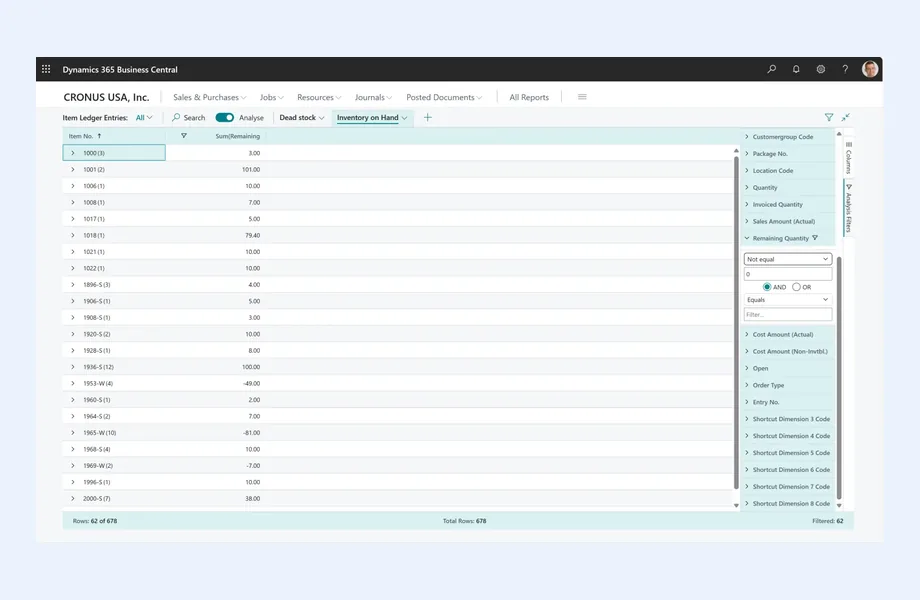
 Microsoft Dynamics 365
What does a Microsoft Dynamics 365 consultant do?
A Microsoft Dynamics 365 consultant helps a business decide whether Dynamics 365 fits, which applications it needs and how to implement them well. As an independent Microsoft Dynamics 365 consultant, I work on the client side: mapping processes, writing requirements, comparing Business Central with Finance and Operations, reviewing implementation partner proposals, and running UAT so the system fits how your business operates.
Last reviewed by Vikas Saroj
Microsoft Dynamics 365 is a family of business applications covering finance, operations, supply chain, sales and service, built to work closely with Microsoft 365, Power BI and the wider Power Platform. For companies already invested in the Microsoft ecosystem, it is often on the shortlist. The challenge is choosing the right applications and implementing them without overbuilding.
As an independent Microsoft Dynamics consultant, I work on your side of the table. Dynamics 365 projects are typically delivered by implementation partners, and I help you get the most from that arrangement: clear requirements, a sensible choice between Business Central and Finance and Operations, a fair comparison of partner proposals, and testing that proves the system works for your business.
I do not sell licenses or development hours, so I can also tell you when Dynamics 365 is not the right fit, and when Zoho, Odoo or ERPNext would serve you better. Business first, technology second.
 What I Do
I focus on the decisions and controls that determine whether a Dynamics 365 project succeeds, working alongside the partner who builds it.

An honest view of whether Dynamics 365 suits your processes, scale, team and budget drivers, compared with alternatives, before you commit to licenses or a partner contract.
Guidance on choosing between Business Central and the Finance and Operations applications based on entities, complexity, industry processes and internal capability, not on what is easiest to sell.

Process mapping and a structured requirements document that partners can quote against, so proposals are comparable and the scope is clear before configuration begins.

Shortlisting implementation partners, running scripted demos on your scenarios and reviewing proposals for scope gaps, assumptions, customization volume, data migration effort, testing responsibilities and support terms.

Planning how Power BI, Power Automate and Power Apps should extend Dynamics 365, with clear rules on when low-code tools add value and when standard features are already enough.

Writing business test scripts, running UAT with your process owners, defining go/no-go criteria and checking opening balances, so acceptance is based on your scenarios rather than a demo.
How I Work
Know what the business needs
 Process mapping workshops
Requirements and BRD
Dynamics 365 fit assessment
Application scope decision
Process mapping workshops
Requirements and BRD
Dynamics 365 fit assessment
Application scope decision
Choose the right partner and plan
Partner shortlist and demos
Proposal and estimate review
Scope and assumptions agreed
Integration and data plan
Protect the business through delivery
Design decision reviews
UAT with process owners
Go-live readiness checks
Post go-live optimization
Microsoft offers two main ERP options within Dynamics 365, and choosing between them is one of the most important early decisions.
| Aspect | Business Central | Finance and Operations apps |
|---|---|---|
| Typical audience | Small and mid-sized businesses | Larger, more complex organizations |
| Scope | Finance, sales, purchasing, inventory, projects, service and basic manufacturing in one application | Separate applications for finance, supply chain, commerce, project operations and more, designed for depth and scale |
| Implementation effort | Generally lighter and faster | Generally larger programs with more design and testing |
| Extensions | Extensions and marketplace apps for specific needs | Extensive extensibility for complex, industry-specific processes |
Business Central often suits companies with one or a few entities, standard distribution, services or light manufacturing processes, and a modest internal IT team. The Finance and Operations applications tend to fit organizations with many legal entities, complex supply chains, advanced manufacturing or demanding financial consolidation and compliance needs.
The line between them is not fixed by company size alone. A smaller business with very complex operations may need more depth, while a larger one with simple processes may be well served by Business Central. Microsoft's product scope and licensing evolve, so I always check current details on microsoft.com against your requirements rather than relying on assumptions. The decision should come out of requirements gathering, not precede it.
Dynamics 365 is a strong platform, but no ERP is right for everyone. These are the patterns I look for when assessing fit.
Often a good fit when:
Often a weaker fit when:
These are tendencies, not rules. The right answer depends on your processes, data, team and growth plans, which is why I start with an ERP evaluation rather than a product recommendation.
One of the clearest reasons companies choose Dynamics 365 is how it connects with the rest of the Microsoft ecosystem. Used well, this reduces the need for separate tools and custom integrations.
The risk is sprawl. Because low-code tools are easy to start with, companies sometimes build dozens of flows and apps without ownership, documentation or testing. I help you set simple rules: use standard Dynamics 365 features first, use Power Platform where it clearly adds value, and keep every flow and app owned, documented and monitored. The same discipline applies to integrations with CRM, ecommerce, banking and logistics systems, covered in more detail under ERP integration and system integration.
Good reporting design starts with agreed definitions and clean data, not with dashboards. I make sure those foundations are in the requirements so that Power BI reports can be trusted from day one.
Dynamics 365 is usually licensed and implemented through Microsoft's partner network. A capable partner is essential, but their role is to deliver the system. Someone also needs to represent the business: defining what is needed, judging proposals and accepting the result. That is where I come in.
This model works whether you are selecting Dynamics 365 for the first time, moving from an older Microsoft ERP, or recovering a project that has drifted. See also ERP vendor selection, ERP RFP consulting and ERP testing and UAT.
Every platform has trade-offs, and it is better to discuss them before signing than after go-live.
When I compare platforms, Dynamics 365 often stands out for finance depth, Microsoft 365 and Power BI integration, and scalability. Zoho tends to suit businesses wanting a broad, cost-conscious suite with strong CRM and low-code extensibility. Odoo appeals to companies wanting integrated modules across sales, inventory, manufacturing and accounting with flexible hosting. ERPNext is attractive to teams that value open source and full control. The right choice depends on your requirements, not on brand. My guide on how to choose an ERP explains the evaluation approach, and you can contact me for an independent view.

Tell me about your business and current systems. I’ll suggest the most sensible first step.
Book a Consultation
Not sure which ERP you need?
Share your business requirements with me and I will help you understand the right process, architecture and platform before implementation.
Platforms
By Country
Pages written for each market: local tax, e-invoicing, data hosting, migration sources and how the work runs remotely there.
FAQ
No. I am not a Microsoft partner and I do not resell Microsoft licenses or services. I work as an independent Microsoft Dynamics consultant on the client side, helping you define requirements, choose between Dynamics 365 applications, select and manage an implementation partner, and test the system before go-live. My recommendations follow your requirements, not a sales target.
It depends on the number of legal entities, the complexity of your supply chain and manufacturing, financial consolidation and compliance needs, transaction volumes and your internal IT capability. Business Central suits many small and mid-sized businesses, while the Finance and Operations applications are designed for larger, more complex organizations. I assess this against documented requirements before you commit.
My role is client side. The configuration and development are usually done by an implementation partner. I make sure that partner receives clear requirements, that their proposal is complete and fair, that design decisions follow business needs, and that the system passes UAT with your own scenarios. This combination often works better than relying on the partner alone.
Dynamics 365 is often strongest for finance depth, scalability and integration with Microsoft 365 and Power BI. Zoho, Odoo and ERPNext can be simpler or more cost-conscious options for many growing businesses, each with its own strengths. I compare them against your requirements, team and growth plans rather than recommending one by default.
Yes. I review proposals for scope coverage against your requirements, assumptions, customization volume, data migration and integration effort, testing and training responsibilities, and support terms. The output is a list of gaps, risks and questions to raise with the partner, so you can negotiate from a clearer position before signing.
Every business is different. Share where you are today and what you want to fix, and I’ll tell you honestly whether and how I can help.
Book a Consultation
Insights
 Book a Consultation
Book a consultation to talk through your processes, systems and goals. I’ll reply with practical next steps - no obligation.