Contact Info

Zoho or Odoo: which is better?
It depends on where your business is most complex. Zoho is a suite of connected cloud apps and tends to fit sales-led and service businesses that want CRM at the center and no servers to manage. Odoo is one application on a single database and tends to fit businesses where inventory, purchasing, manufacturing and accounting must stay tightly in sync, or where self-hosting matters.
| Criteria | Zoho | Odoo |
|---|---|---|
| Best use cases | Sales-led, service and project businesses where CRM, customer service and collaboration drive the work | Trading, distribution and manufacturing businesses where operations and finance must post against the same records |
| Company size | Small to mid-sized companies, including those adopting one app first and growing into a suite | Small to mid-sized companies, with larger deployments possible when hosting and customization are well governed |
| Industry fit | Professional services, agencies, sales organizations, light trading and businesses needing custom low-code apps | Manufacturing, distribution, wholesale, retail and ecommerce, where stock and production are central |
| Customization | Configuration, Deluge scripting, widgets and Zoho Creator apps, all within platform limits | Odoo Studio for no-code changes, custom Python modules for deep changes to models, logic and views |
| Pricing model | Subscription per app and edition, or the Zoho One bundle, scaling with users or employees | Free open source Community edition, or Enterprise subscription per user, plus hosting if you self-host or use Odoo.sh |
| Scalability | Scales by adding apps and users; complex cross-app processes need careful integration design | Scales well on one database; performance and upgrades depend on hosting and how much custom code exists |
| Implementation complexity | Low to moderate per app; rises when several apps must share data and processes | Moderate; rises with manufacturing scope, data migration and the volume of custom modules |
| Integrations | Built-in connectors between Zoho apps, Zoho Flow and REST APIs for outside systems | Native integration between modules, plus XML-RPC and JSON-RPC APIs and community connectors |
| Accounting | Zoho Books covers small and mid-sized accounting well, linked to CRM and Inventory by sync | Accounting module posts directly from sales, purchasing and stock, with full features in Enterprise |
| CRM | A key strength: Zoho CRM is configurable for complex pipelines, territories and guided processes | Capable and simple pipeline CRM; teams with complex sales rules may find it less configurable |
| Inventory | Zoho Inventory handles small to moderate stock needs, multiple warehouses and order fulfillment | A key strength: routes, multi-step receipts and deliveries, lots, serials and stock valuation in one system |
| Manufacturing | Light assembly is possible; complex production often needs a custom Zoho Creator application | Native MRP with bills of materials, work centers, routing, quality and maintenance |
| Reporting | Reports inside each app, with Zoho Analytics for cross-app dashboards | Reports across all modules from one database, with pivot and graph views |

I compare platforms against your real processes with scripted demos and weighted scoring - independent of any vendor.
Get an Independent ERP Assessment
 Strengths & Limitations
Zoho
Best for: Sales-led and service businesses that want a strong CRM at the center, adopt apps one at a time, and prefer a fully vendor-hosted cloud with no infrastructure to run.
Strengths
Limitations
Odoo
Best for: Product businesses where stock, purchasing, manufacturing and accounting must agree in real time, and teams that want a choice between hosted, managed or self-hosted deployment.
Strengths
Limitations
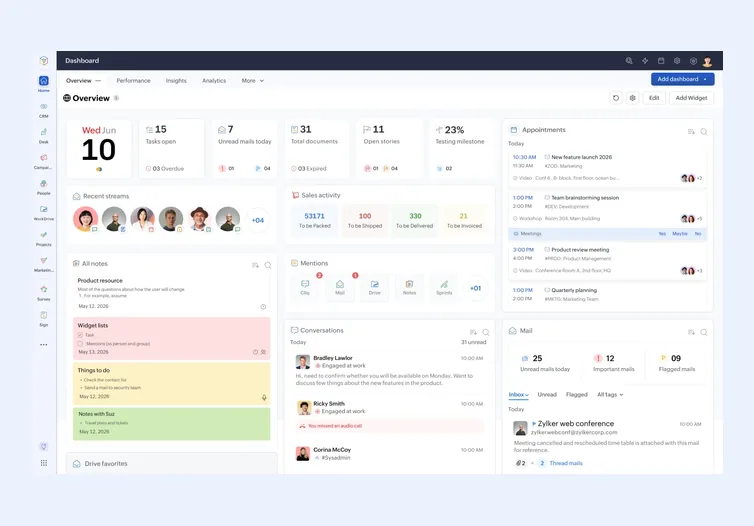
Zoho is a portfolio of cloud products: Zoho CRM, Zoho Books, Zoho Inventory, Zoho Desk, Zoho Projects, Zoho People, Zoho Analytics and more. You can buy them one at a time or as the Zoho One bundle. Each app has its own data, and they connect through built-in integrations, Zoho Flow and APIs. A customer in Zoho CRM and a customer in Zoho Books are linked records in two systems, kept in step by sync.
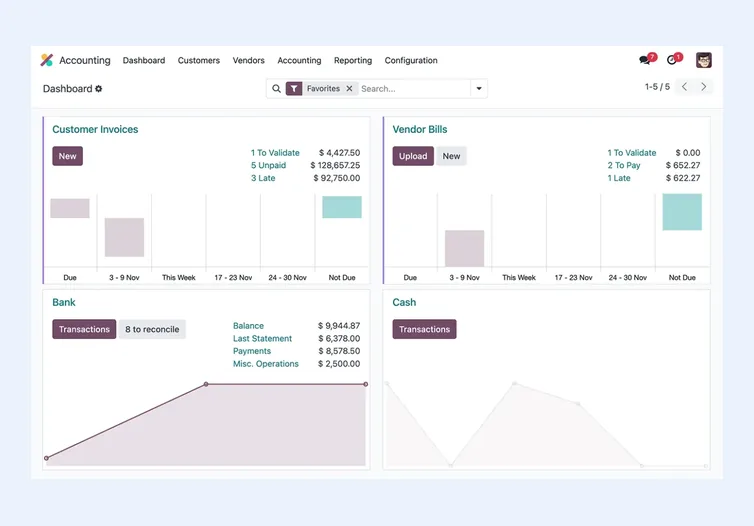
Odoo is a single application built in Python on a PostgreSQL database. Sales, purchasing, inventory, manufacturing, accounting, HR and the website are modules of the same system. A sales order, the stock move it triggers and the invoice it creates all live in one database.
That design choice drives most of the practical differences. Zoho lets you adopt one app at a time with little commitment. Odoo gives tighter data consistency across operations and finance. Customization follows the same split: Zoho relies on configuration, Deluge and Zoho Creator within platform limits, while Odoo custom modules can change almost anything but must be maintained through upgrades. My rule on either platform: configure first, script second, and build custom only for processes that truly set your business apart.
Zoho tends to fit when:
Odoo tends to fit when:
Some businesses use both: Zoho CRM for the front office and Odoo for operations and finance, with an integration in between. That works when each record type has one owning system and the sync rules are written down before anyone builds anything. My system integration work starts with exactly that boundary.
Moving between the two, or into either from spreadsheets or an older system, follows the same discipline: clean master data first, decide what history you really need, and reconcile opening balances and stock before go-live. Customers, products, open orders and open invoices usually migrate; years of closed transactions often stay in an archive.
Hosting is a real decision point. Zoho is cloud only, with Zoho running the infrastructure and updates. Odoo offers Odoo Online for zero maintenance, Odoo.sh as a managed platform that supports custom modules and staging, or self-hosting where you control everything, including when you upgrade. For organizations with strict data residency rules or an IT team that wants full control, that choice can decide it. For teams without IT staff, Zoho removes a whole category of work. On both, implementation, migration, customization and support usually shape total cost more than license fees; I cover those drivers in what ERP implementation really costs.
Three questions usually settle Zoho vs Odoo. First, where is your operational complexity: in customer-facing processes, or in stock and production? Second, how much custom logic do you genuinely need, and who will maintain it after go-live? Third, who owns the system: an internal IT team, an outside partner, or a business owner with limited technical time?
Write your answers down, turn the most important requirements into weighted criteria, and score both platforms against your real scenarios rather than generic feature lists. My guide to choosing an ERP walks through the full process, and the ERP requirements checklist helps you build the list.
I am an independent consultant, so I do not earn anything from the platform you pick. I start with the business, not the software: how orders, projects, customers and money move today, where the bottlenecks are, and which requirements genuinely decide the outcome. Those requirements become a weighted scoring sheet, and every shortlisted platform is scored against the same list.
Through my ERP vendor selection work I run scripted demos built around your real scenarios, so vendors and partners show your process rather than their best slides. Through ERP evaluation I review proposals, implementation plans and the fine print on licensing, hosting, customization and support. You end up with a written recommendation, the reasoning behind it and the risks to manage, whichever platform wins.
Not sure which ERP you need?
Share your business requirements with me and I will help you understand the right process, architecture and platform before implementation.
FAQ
Odoo is usually the stronger fit for manufacturing because its MRP, inventory and accounting modules share one database. Zoho can support light assembly, often with a custom Zoho Creator app, but complex bills of materials, work centers and routing are more natural in Odoo.
No. Zoho is delivered as a cloud service hosted by Zoho in regional data centers. If self-hosting or full control over infrastructure and upgrade timing is a requirement, Odoo or ERPNext are the more suitable options to evaluate. Each of those brings its own hosting and upgrade responsibilities.
It can be, especially for sales, purchasing and inventory. However, Community lacks Enterprise features such as Odoo Studio and parts of accounting, and you take on hosting yourself. Check your finance, reporting and customization needs carefully before committing to it.
Yes. A common pattern is Zoho CRM for sales and Odoo for operations and finance, connected by an integration. It works when each record type has a single owning system, the sync rules are documented, and someone is responsible for monitoring failed syncs.
A single Zoho app is usually quicker to set up than a full Odoo rollout. Once several Zoho apps must share data, effort rises because of integration design. Odoo effort depends mostly on manufacturing scope, data migration and how many custom modules you need.
Every business is different. Share where you are today and what you want to fix, and I’ll tell you honestly whether and how I can help.
Book a Consultation
Insights
 Book a Consultation
Book a consultation to talk through your processes, systems and goals. I’ll reply with practical next steps - no obligation.