Contact Info

 CRM Consulting
What does a CRM consultant do?
A CRM consultant helps a business choose, design and roll out a CRM around its real sales and service processes. I agree pipeline stages, lead rules and ownership first, then configure Zoho CRM, HubSpot, Salesforce, Odoo CRM or another platform to support them. As an independent consultant, I recommend the CRM that fits your sales motion, team and integrations, and connect it to your ERP, marketing and support tools.
Last reviewed by Vikas Saroj
A CRM should give you a reliable view of every lead, deal and customer conversation. Too often it becomes a contact list that sales updates reluctantly, while the real pipeline lives in spreadsheets, inboxes and people's heads, and managers cannot forecast with any confidence.
I help businesses choose, design and roll out CRM systems around their actual sales and service processes. That means agreeing pipeline stages, lead rules and ownership first, then configuring Zoho CRM, HubSpot, Salesforce, Odoo CRM or another platform to support them, rather than the other way around.
As an independent consultant, I recommend the CRM that fits your sales motion, team size, integrations and budget. I also connect it to your ERP, marketing and support tools, so customer data flows across the business and every team works from the same customer record.
 What I Do
From choosing a platform to fixing one that nobody uses, these are the areas I cover.

A requirements-led comparison of Zoho CRM, HubSpot, Salesforce, Odoo CRM and other options, looking at sales process fit, integrations, reporting, ease of use and long-term cost drivers.

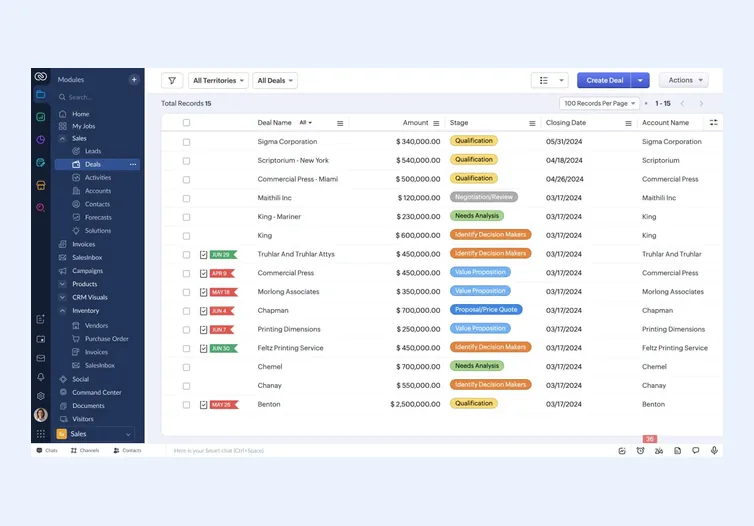
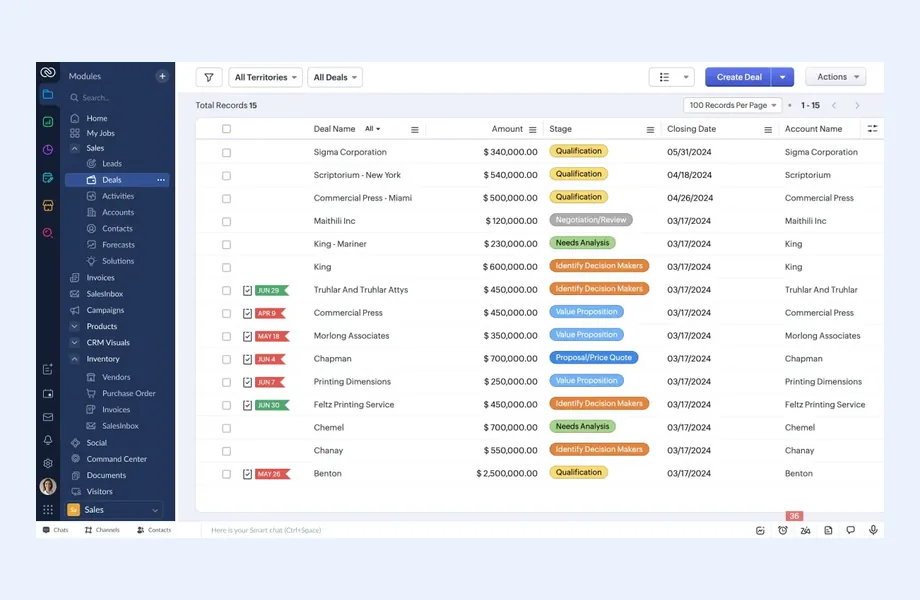
Design and configuration of Zoho CRM modules, layouts, blueprints, workflows, Deluge functions and reports, often alongside other Zoho apps such as Zoho Books, Desk and Analytics.

Practical setup and improvement of HubSpot, Salesforce and Odoo CRM, focusing on clean data, sensible pipelines and automation that supports the team rather than adding admin work.

Clear deal stages with entry and exit criteria, required fields, probability rules and next-step discipline, so the pipeline reflects reality and forecasts become something leadership can rely on.

Capturing leads from web forms, campaigns, email and chat, then deduplicating, qualifying, scoring and routing them to the right person quickly, with clear rules for follow-up and handoff.

Automated task creation, reminders, quote generation, approval steps and follow-up sequences that remove routine admin from salespeople, keep deals moving between stages and make sure no promising lead is forgotten.

Ticketing, case routing, service levels, escalation rules and customer history in one place, so support and account teams see the full picture before they respond to a customer.

Moving data from spreadsheets or an old CRM with proper mapping and cleanup, then training, role-based dashboards and usage reviews that make the CRM part of everyday work.
How I Work
Agree how you sell and serve customers
 Sales and service process mapping
Pipeline stages and criteria
Lead sources and routing rules
Reporting needs by role
Sales and service process mapping
Pipeline stages and criteria
Lead sources and routing rules
Reporting needs by role
Select and configure the right CRM
Platform selection or review
Modules, fields and layouts
Automation and approvals
Integrations with ERP and marketing
Make the CRM part of daily work
Data migration and cleanup
Role-based training
Dashboards for managers
Usage reviews and refinement
The best CRM is the one your team will use consistently and that fits the way you sell. Feature lists across the major platforms overlap heavily, so the decision usually comes down to a handful of practical questions:
Zoho CRM is often a strong fit for businesses that want a capable, extensible CRM within a broader suite. HubSpot suits marketing-led teams that value ease of use. Salesforce offers depth for complex sales organizations with admin resources. Odoo CRM works well when sales needs to sit directly alongside inventory, invoicing and operations. I help you weigh these honestly against your requirements.
Before configuring anything, I spend time understanding how the business actually wins and keeps customers. CRM design decisions made without this step tend to copy a generic template, and the team quickly works around it.
The analysis covers a few core areas:
The output is a short CRM design document: stage definitions, field list, ownership rules, automation rules and a reporting catalog. That document drives configuration on whichever platform you choose, and it gives you a fair basis for comparing Zoho CRM, HubSpot, Salesforce, Odoo CRM or Dynamics 365. It also prevents the common situation where every salesperson interprets a stage differently.
Most CRM problems are adoption problems. The system is configured, but salespeople still track deals in spreadsheets, managers do not trust the pipeline, and reports need manual cleanup before every meeting. The usual causes are predictable:
I address these by designing the CRM around the sales process first, keeping data entry to what is genuinely useful, automating routine tasks and building views that help each role do their job. Migration includes deduplication and cleanup rather than copying old problems into a new system. After launch, I review usage and refine the setup based on how people actually work. For Zoho specifically, my Zoho CRM implementation guide covers this in detail, and ERP vs CRM explains how the two systems should divide responsibilities.
A CRM becomes far more valuable when it is connected. Sales should see whether a customer has overdue invoices before offering new terms. Operations should receive confirmed orders without re-keying them. Support should see the full purchase and conversation history before answering a ticket.
Common connections I design and implement include:
The key decision is which system owns which data. Customer master data, product catalogs and pricing need one source of truth, or integrations quickly create conflicts. I define that ownership early and build integrations that respect it. See system integration for more on how I approach connected systems, and lead generation if you also need help filling the pipeline.
CRM implementation goes best in small, usable releases. I usually start with the core sales process: leads, accounts, contacts, opportunities and activities. Once the team is using that consistently, we add quotes, automation, marketing integration and service workflows. Each release is tested by real users with scenario-based scripts before it goes live.
Data migration is where many CRM projects carry old problems forward. I agree with you what to bring across, typically active accounts, open opportunities and recent activity history, and what to archive. Duplicates are merged, ownership is reassigned to current staff, and picklist values are mapped to the new stage definitions. A trial import and a review by sales managers come before the final load.
Reporting is designed around decisions, not vanity metrics. Typical dashboards cover pipeline by stage and owner, conversion between stages, deal age, win and loss reasons, activity against open opportunities and forecast by period. Where the CRM is connected to paid campaigns, lead source reporting can follow a lead from first click to closed deal.
Because I am independent, I am equally comfortable recommending a simpler setup on a platform you already own as I am recommending a move. The aim is a CRM your team trusts enough to stop keeping private spreadsheets.

Tell me about your business and current systems. I’ll suggest the most sensible first step.
Book a Consultation
Not sure which ERP you need?
Share your business requirements with me and I will help you understand the right process, architecture and platform before implementation.
By Country
Pages written for each market: local tax, e-invoicing, data hosting, migration sources and how the work runs remotely there.
FAQ
It depends on your sales process, team size, existing systems and budget. I work with Zoho CRM, HubSpot, Salesforce, Odoo CRM and others, and I am not paid by any vendor to recommend one. After understanding your requirements, I explain the trade-offs and give a clear recommendation with reasons.
Yes. Many engagements start with an existing CRM that is underused or distrusted. I review pipelines, fields, automation, data quality and reports, talk to the people using it, and then simplify and reconfigure so the system supports the sales process instead of adding admin work.
Yes. Migration includes mapping fields between systems, cleaning and deduplicating records, preserving relationships between accounts, contacts, deals and activities, and running test imports before the final move. Good migration is as much about leaving bad data behind as it is about moving good data across.
Yes. Connecting CRM with ERP or accounting software is one of the most common requests. I define which system owns customers, products and pricing, then build integrations for quotes, orders, invoices and payment status using native connectors, APIs, webhooks or middleware where needed.
Adoption comes from design as much as training. I keep data entry focused on what is useful, automate routine tasks, build views that help each role, and train people on their own workflows. After launch, I review usage and adjust the setup based on real feedback.
Every business is different. Share where you are today and what you want to fix, and I’ll tell you honestly whether and how I can help.
Book a Consultation
Insights
 Book a Consultation
Book a consultation to talk through your processes, systems and goals. I’ll reply with practical next steps - no obligation.