Contact Info

 Zoho Consulting
What does a Zoho consultant do?
A Zoho consultant helps a business choose, configure and connect the right Zoho applications, such as Zoho One, Zoho CRM, Zoho Books, Zoho Inventory and Zoho Creator, around its real processes. As an independent Zoho consultant, I roll out apps one process at a time, add Deluge scripting only where needed, migrate data from spreadsheets or legacy systems, and clean up Zoho setups that have drifted into disconnected data.
Last reviewed by Vikas Saroj
Zoho offers a wide suite of business applications, from Zoho CRM and Zoho Books to Zoho Creator and the all-in-one Zoho One bundle. The breadth is a strength, but it also makes it easy to switch on too many apps, configure them in isolation and end up with disconnected data. I help businesses use Zoho deliberately, one process at a time.
As an independent Zoho consultant, I start with how your sales, finance, operations and people processes actually work, then decide which Zoho apps fit, how they should be configured and where custom logic is genuinely needed. The result is a connected system your team understands and can run without depending on me.
I work remotely with growing companies worldwide on new Zoho implementations, reviews and cleanups of setups that have drifted over time, and migrations from spreadsheets, legacy CRMs or other accounting platforms. Whatever the starting point, the aim is the same: fewer manual steps, cleaner data and reports people trust.
 What I Do
Every engagement starts with the process, not the app list. These are the areas I typically cover across the Zoho ecosystem.

Planned rollouts of Zoho apps with clear scope, configured modules, user roles, data import and training, so the system goes live in a controlled way rather than growing by trial and error.

Deciding which Zoho One apps you actually need, the order to roll them out, and how they share data, so the bundle works as one connected system instead of a collection of separate tools.

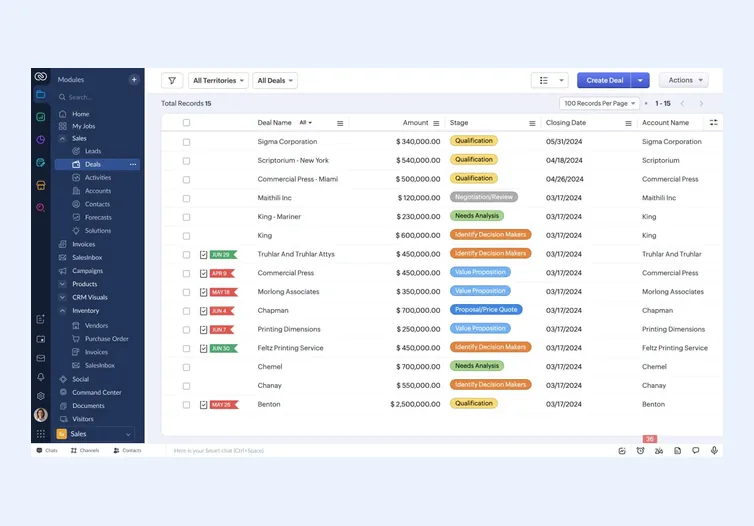
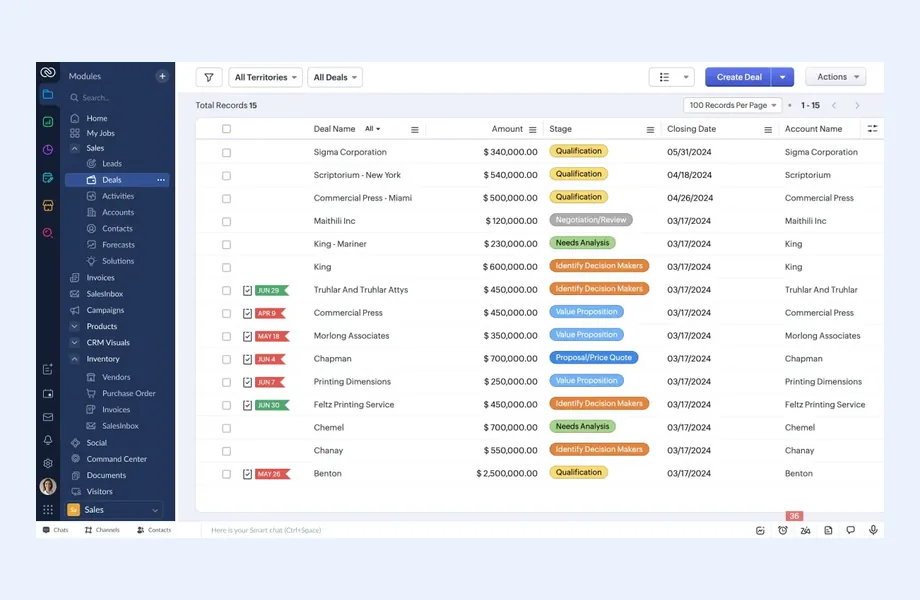
Pipelines, layouts, Blueprints, assignment rules, territories and reports in Zoho CRM, designed around your real sales and service process, with clean data and dashboards managers will actually use.

Custom business applications on Zoho Creator for processes that standard apps do not cover, such as approvals, job tracking, quality checks or portals, built with maintainable Deluge logic.

Zoho Books, Zoho Inventory and Zoho Expense configured for your chart of accounts, tax setup, warehouses and approval flows, with clear links back to sales and purchasing data.

Zoho People, Zoho Recruit, Zoho Projects and, where available in your country, Zoho Payroll, set up so hiring, attendance, leave, timesheets and project delivery follow consistent rules.

Custom modules, fields, functions, buttons and widgets where configuration is not enough, written in Deluge and documented so your team or a future consultant can maintain them.

Moving data from spreadsheets, legacy CRMs or other accounting systems into Zoho, with field mapping, cleansing, deduplication, test loads and a reconciliation step before you switch over.

Connecting Zoho with ecommerce platforms, payment gateways, telephony, ERPs and internal tools using native integrations, Zoho Flow or the Zoho APIs, chosen based on reliability and upkeep.

Workflow rules, Blueprints, scheduled functions and cross-app automation that remove repeated manual steps such as data re-entry, follow-up reminders, approval routing and status updates between sales, finance and operations teams.
How I Work
Understand the business and its processes
 Stakeholder interviews and walkthroughs
Current process mapping
Pain points and gaps
Documented requirements
Stakeholder interviews and walkthroughs
Current process mapping
Pain points and gaps
Documented requirements
Configure Zoho to fit the process
App selection and solution design
Configuration and customization
Integrations and automation
Data migration test loads
User acceptance testing
Go live and keep refining
Cutover and go-live support
Role-based user training
Admin handover documentation
Post-launch fixes and tuning
Zoho is a strong choice for many small and mid-sized businesses, but not for every business. As an independent Zoho consultant, I would rather tell you early than discover a poor fit halfway through an implementation.
Zoho usually fits well when:
Zoho may not be the best fit when:
In those cases, Odoo, ERPNext or Microsoft Dynamics 365 may be better suited, sometimes with Zoho CRM retained for sales. An ERP gap analysis makes the decision evidence-based rather than a matter of preference.
I work across the Zoho apps most growing businesses rely on to run sales, finance, operations and people processes:
One important point: Zoho product availability, editions and features vary by country and data center. Zoho Payroll, for example, is only offered in some countries, and local tax and compliance features in Zoho Books differ by region. Before recommending an app, I confirm it is available and suitable for your location and plan, and if it is not, I suggest a practical alternative or an integration with a local provider.
Not every business needs every app. A distribution company might start with CRM, Books and Inventory; a services firm might focus on CRM, Projects and Desk. The goal is the smallest set of apps that covers your processes well.
A Zoho rollout follows the same consulting journey I use on every platform, adapted to how Zoho apps connect to each other.
Phasing matters on Zoho because it is so easy to switch on another app. Adding apps only when the previous phase is stable keeps the setup coherent. For a full delivery view, see my ERP implementation page.
Zoho makes it easy to sign up and start configuring. That speed is useful, but it often leads to setups that grow without a plan: duplicate fields, workflows that conflict, apps that do not share data, and reports nobody trusts. Teams then work around the system with spreadsheets, which defeats the point.
My approach follows a simple principle: business first, technology second. Before touching configuration I map how leads, orders, invoices, stock and approvals actually move through the business. That map becomes the blueprint for which Zoho apps to use, how records should link, and where automation adds value.
For existing Zoho users, I often start with a review of the current setup. I look at data quality, unused or overlapping customizations, broken automations and gaps between apps, then propose a prioritized cleanup rather than a rebuild from scratch.
I also keep customization in proportion. Zoho Creator and Deluge are powerful, but every custom function is something someone has to maintain. I use standard features first and add custom logic only where it clearly solves a business problem, then document it. If Zoho is not the right fit for a requirement, I will say so and look at options such as Odoo or ERPNext.
Most businesses do not run on Zoho alone. Your ecommerce store, payment provider, banking feeds, telephony, legacy ERP or industry-specific tools all need to exchange data with Zoho reliably. I choose the integration method based on volume, reliability and long-term upkeep: native Zoho integrations where they are good enough, Zoho Flow for straightforward app-to-app connections, and custom work with the Zoho APIs where control matters. More on this approach is on my system integration page.
Migration deserves the same care. Moving from spreadsheets, another CRM or another accounting system into Zoho means deciding what to bring across, mapping fields and relationships, cleaning duplicates, and agreeing on opening balances with your finance team. I run test imports, reconcile the results, and plan cutover so your team is not working in two systems for longer than necessary.
If you are planning a broader rollout, my Zoho One implementation guide and Zoho CRM implementation guide explain the steps in more detail.
Every platform has trade-offs, and planning for them early is cheaper than discovering them later. These are the Zoho limitations I most often discuss with clients.
None of these rule Zoho out. They simply need to be weighed against your requirements. Where a limitation is significant, I will show you the alternatives side by side, as in my Zoho vs Odoo comparison.

Tell me about your business and current systems. I’ll suggest the most sensible first step.
Book a Consultation
Not sure which ERP you need?
Share your business requirements with me and I will help you understand the right process, architecture and platform before implementation.
Platforms
By Country
Pages written for each market: local tax, e-invoicing, data hosting, migration sources and how the work runs remotely there.
FAQ
No. I am an independent consultant, not an official Zoho partner. That means my recommendations are based on what fits your business rather than on vendor targets. You buy Zoho subscriptions directly from Zoho or through any channel you prefer, and I work on the consulting, configuration, customization and integration side.
It depends on how many Zoho apps you will genuinely use and how many users need them. Zoho One can make sense when several departments will adopt multiple apps, while individual subscriptions can be simpler for a narrow use case. I compare both against your actual process scope and current Zoho pricing before you commit.
Not always. Zoho product availability, editions and local features vary by country and data center. Zoho Payroll, for example, is only available in some countries, and tax and compliance features differ by region. I check availability for your location during discovery and suggest alternatives or integrations where an app is not offered.
Yes. Many projects start with a review of an existing Zoho CRM or Zoho One account. I look at data quality, customizations, automations and how apps connect, then recommend a prioritized cleanup. A full rebuild is only suggested when the current structure genuinely cannot support how the business needs to work.
I do not quote fixed prices without understanding the scope. The main cost drivers are the number of apps and processes involved, the amount of customization and Zoho Creator work, the number of integrations, data migration complexity, and how much training and post-launch support you need. A short discovery call helps define these.
Every business is different. Share where you are today and what you want to fix, and I’ll tell you honestly whether and how I can help.
Book a Consultation
Insights
 Book a Consultation
Book a consultation to talk through your processes, systems and goals. I’ll reply with practical next steps - no obligation.