Contact Info

 Zoho CRM in Australia
What does a Zoho CRM consultant do for an Australian business?
For an Australian company, a Zoho CRM consultant designs the CRM around quote-driven selling, where follow-up speed decides who wins the job, across teams in several states and time zones. The work covers ABN-validated accounts, consent and unsubscribe handling shaped by the Spam Act, privacy settings, call and SMS logging, ad attribution, and quotes with GST that hand off to Zoho Books or Xero for invoicing.
Last reviewed by Vikas Saroj
A lot of Australian selling runs on quotes. A wholesaler quotes builders and installers, a commercial services firm quotes facility managers, a solar or HVAC company quotes homeowners and businesses, and the one that follows up first and best usually wins. When those quotes live in email and a separate job tool, nobody can see the open value or which ones went cold.
I work remotely with Australian businesses that want Zoho CRM to hold the quote pipeline, give sales managers visibility across states, and link cleanly to the accounting system the bookkeeper already trusts, which is often Xero.
The design starts with how your quotes are built, approved and chased.
 What I Do
Australian CRM projects usually center on quoting, follow-up and the link to accounting. These are the pieces I design.

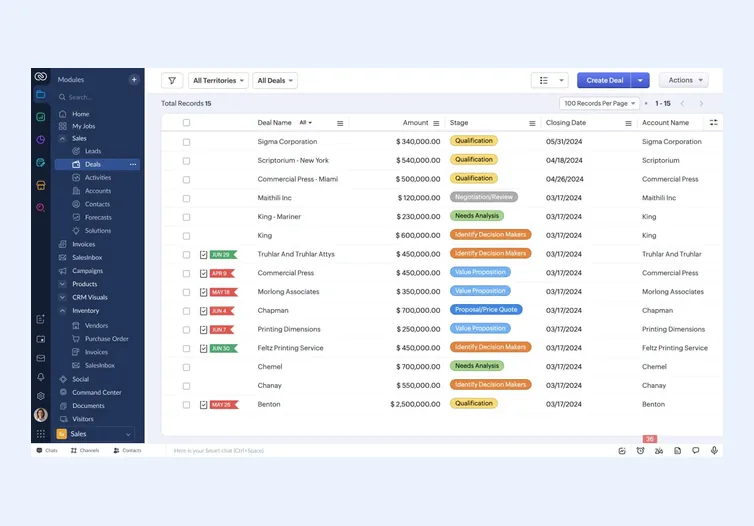
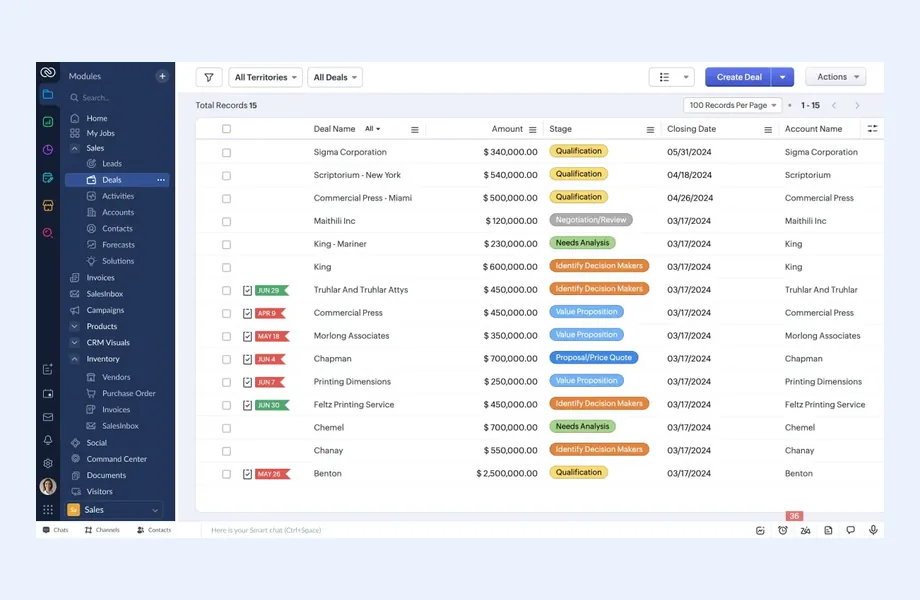
Every quote recorded against a deal with value, expiry and next follow-up date, so managers can see total open quotes by rep, state and product and chase the ones going quiet.

Timed tasks, emails and SMS after a quote is sent, stopped automatically when the customer replies or accepts, so follow-up happens even in a busy week on site.

Leads routed by state, postcode band or product line, with working hours that respect each time zone, so an inquiry from Perth is not assigned to a Sydney rep after hours.

Consent source, unsubscribe status and Do Not Call screening fields, plus access rules and retention routines agreed with your advisor, built into Zoho CRM rather than spreadsheets.

Accepted quotes turned into invoices in Zoho Books or Xero with GST applied in the ledger, and payment status flowing back so reps know who has paid.

Google and Meta lead data carried through to accepted quotes, so marketing spend is judged on won jobs and margin, not on inquiry volume.
How I Work
How quotes are built and chased
 Quote process walkthrough
Lead source and routing review
Consent and list audit
Accounting link review
Reporting needs by state
Quote process walkthrough
Lead source and routing review
Consent and list audit
Accounting link review
Reporting needs by state
Configure, connect and test
Quote templates with GST
Follow-up cadences
Phone and SMS integration
Xero or Zoho Books sync
Testing with sales staff
Measure conversion and adjust
Quote win rate dashboards
Mobile training for field reps
Cadence tuning
Quarterly data review
In quote-heavy Australian businesses, the sales problem is rarely a shortage of leads. It is quotes sent and forgotten. A rep sends a price on Tuesday, gets pulled onto site work, and by the time anyone follows up the customer has signed elsewhere. Zoho CRM can stop that, provided the quote is treated as a stage with its own rules rather than an attachment on an email.
The structure I usually build:
For businesses that also schedule and deliver jobs, I decide with you whether job management stays in a specialist field tool connected to the CRM or moves into Zoho. The field service page covers that trade-off.
Australian businesses sending commercial emails and SMS work under the Spam Act, which in broad terms expects consent, clear identification of the sender and a functional unsubscribe. Telemarketing calls bring the Do Not Call Register into play, and personal information handling falls under the Privacy Act and its principles for organizations it covers. Your advisor decides how each applies to you; I build Zoho CRM so it supports those decisions.
What that looks like in practice:
Residential selling, such as solar, renovations or home services, needs the most care because contacts are individuals rather than businesses. Hosting and data location for the Zoho account itself are covered on my Zoho consultant Australia page.
A national Australian sales team might have reps in Brisbane, Sydney, Melbourne, Adelaide and Perth, with different time zones and daylight saving rules depending on the state. Lead routing that ignores this produces inquiries assigned to people who have finished for the day. I configure assignment rules by state or postcode, with working hours per territory, and an after-hours queue that is worked first thing in the morning.
Business accounts need identity data. Recording the ABN on each business account, and validating it at creation, reduces duplicates and gives finance what it needs when the first invoice is raised. Where the business name and trading name differ, both are stored so reps and bookkeepers can find the same customer.
Australian sales is still very phone-first, especially in trades and wholesale. Connectors exist for many cloud phone systems and SMS gateways used locally, so reps can dial from a contact and keep two-way texts on file. I check that:
Mobile matters for reps who spend the day on site. I keep the mobile layout short, with the fields needed to update a deal from a ute or a car park, and leave detailed fields for the office.
Many Australian businesses run Xero as their ledger and are reluctant to change it, and their bookkeeper or accountant often prefers it that way. Zoho CRM can work with Xero or with Zoho Books. Either way, the important design question is who owns what.
The rules I usually set:
Payment status then flows back to Zoho CRM, so a rep sees overdue balances before quoting the same customer again. For businesses also running Google or Meta ads, the accepted quote value is sent back as a conversion, a piece of work that links to my Google Ads management service.
Zoho CRM fits many Australian SMEs, but not every one. Situations where I would recommend a different route:
I work remotely and schedule live sessions to suit your states, then record training for reps in the field. For the broader systems view, read my Australian ERP consultant page, the Australia overview or my general CRM consulting approach. Product depth sits on the Zoho CRM page.

Tell me about your business and current systems. I’ll suggest the most sensible first step.
Book a Consultation
Not sure which ERP you need?
Share your business requirements with me and I will help you understand the right process, architecture and platform before implementation.
FAQ
Yes. Zoho CRM can sync contacts and invoices with Xero through integrations. The key is deciding which system owns customers and invoices, using the ABN as a match key where possible, so duplicates do not build up. I design and test that ownership before switching it on.
Yes. When a quote is marked as sent, workflows or cadences can create call tasks and send emails or SMS on set days, stopping when the customer replies or accepts. I set the timing with your sales team so follow-up feels helpful rather than pushy.
Zoho CRM can record consent, include unsubscribe links and suppress contacts who opt out. It does not decide your obligations, which your advisor should confirm. I configure the fields and rules so every email and SMS tool respects the same consent status.
Yes. I work remotely, scheduling live workshops in the hours that suit your states and recording sessions for field staff. Configuration and testing happen between sessions, with a regular check-in with your sales lead.
Every business is different. Share where you are today and what you want to fix, and I’ll tell you honestly whether and how I can help.
Book a Consultation
Insights
 Book a Consultation
Book a consultation to talk through your processes, systems and goals. I’ll reply with practical next steps - no obligation.