Contact Info

 Zoho Desk in New Zealand
How should a New Zealand business set up Zoho Desk?
A New Zealand business should set up Zoho Desk for the team it really has: often a few people who also sell or schedule jobs, customers who prefer to phone, regional anniversary days and Matariki in the holiday calendar, and Australian clients on different hours. Privacy settings follow your advisor, and invoice questions link to Xero or Zoho Books. I design and review the setup independently and remotely.
Last reviewed by Vikas Saroj
In a New Zealand business, the person answering support calls is often also quoting, booking jobs or chasing invoices. Customers ring rather than email, expect to be recognized, and get frustrated when they have to explain a fault twice because the colleague they spoke to last week is on leave.
I work remotely with owners and service leads to shape Zoho Desk around that reality: a ticket for every call worth remembering, response targets that respect regional holidays, a clean split between support and accounts questions, and a view of the customer that comes from Zoho CRM and the ledger.

 What I Do
Every choice is sized for a team that cannot afford a full-time desk administrator.

A telephony link or a quick call-log routine so phone conversations become tickets with notes, giving the next person the history without a hand-written message.

Assignment rules that work with three or four agents who share other duties, including round-robin by availability and a clear owner for every open ticket.

Business hours with national holidays, Matariki and your region's anniversary day loaded, plus a separate calendar for Australian customers if you support them.

Billing and payment questions routed to whoever handles Xero or Zoho Books, with invoice references visible to support but corrections left to accounts.

Restricted fields, attachment rules and closed-ticket retention agreed with your privacy officer, plus a ticket type for requests from people about their own information.

Short articles answering the questions your team hears every week, written by the people who answer them and reviewed on a set rhythm.
How I Work
What customers ask, and how
 Calls and emails sampled
Roles and hats mapped
Holiday calendar agreed
Accounts boundary set
Calls and emails sampled
Roles and hats mapped
Holiday calendar agreed
Accounts boundary set
Channels, rules and calendars
Phone and email connected
Ticket types and fields
SLAs and escalations
CRM and ledger context
Habits that stick
Short agent walkthroughs
First help center articles
Weekly backlog check
Owner dashboard reviewed
New Zealand customers, especially trade customers and rural clients, often pick up the phone. That is good service, but it means the history of a problem lives in whoever took the call. Zoho Desk is only useful if those calls become tickets.
There are two ways to get there:
Routing must suit a team where support is one of several jobs. My starting design is round-robin assignment among whoever is available, a single owner for each ticket from start to finish, and an escalation to the owner or manager when a ticket sits untouched. Agents see their own queue and a shared view of anything unassigned.
Small teams also benefit from a modest help center. If the same questions about delivery times, warranty steps or booking changes come up every week, an article answered once saves hours. The general configuration options behind this are described on my Zoho Desk page.
Response targets only mean something if the clock stops when nobody is supposed to be working. New Zealand has a few calendar quirks that a generic setup misses:
In Zoho Desk, each SLA can point at a set of working hours with its own holiday list. I set up one calendar per team location and load the holidays your payroll calendar already follows, with a named person responsible for updating it each year.
If you support customers in Australia, add another layer. Australian states sit in different time zones, daylight saving starts and ends on different dates on each side of the Tasman, and Australian public holidays differ again. A separate business-hours profile for Australian tickets keeps response targets fair to your agents and honest to customers. My Zoho Desk in Australia page covers that market in depth for businesses with staff there.
For teams spread across both islands, I also check that routing follows the calendar, so a ticket raised on a Wellington holiday reaches an agent who is actually working elsewhere.
Tickets gather personal information: home addresses for service calls, phone numbers, photos of faulty products inside people's homes, sometimes health or financial details volunteered by customers. New Zealand's Privacy Act sets principles on collecting, storing, using and disclosing personal information, and it includes duties around privacy breaches. How those principles apply to your business is a question for your privacy officer or advisor.
The helpdesk then has to put that advice into practice:
Hosting matters too. Zoho operates an Australian data center among its regions, and an account's region is set at creation. Confirm with Zoho where your Desk data will sit before go-live. The wider platform view, including data location across Zoho apps, is on my Zoho in New Zealand page.
In a small New Zealand business, the support inbox fills with accounts questions: a missing invoice, a disputed charge, a request for a credit, a question about GST on an invoice. Support can see these but should not resolve them. Accounts owns invoices, credits and payment arrangements in Xero or Zoho Books in New Zealand, and GST treatment follows your accountant.
The design I put in place:
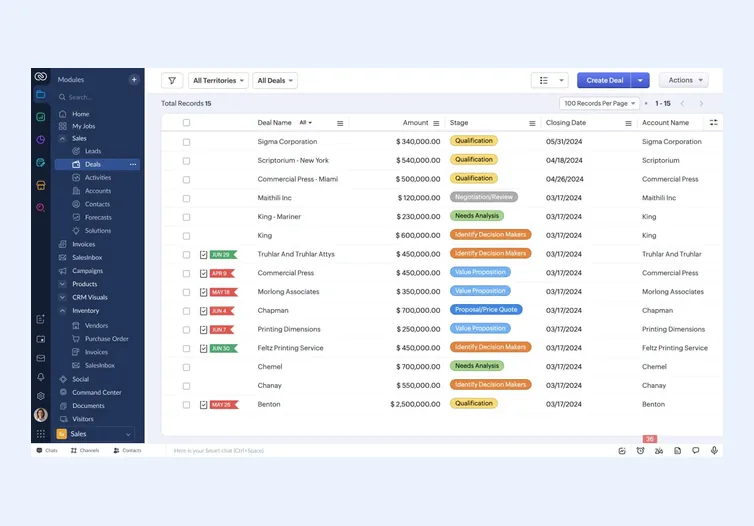
Customer context comes from Zoho CRM: the account, the contact's role, open quotes and any contract or service agreement. That way, an agent knows whether the caller is a key trade account or a one-off retail buyer before answering. The CRM side is designed on my Zoho CRM in New Zealand page.
If many tickets are about order status, connecting delivery data from Zoho Inventory in New Zealand lets agents answer without checking a courier site.
Zoho Desk suits many New Zealand service teams, but I would suggest something else when:
Where Zoho Desk fits, I design it end to end or review an implementer's setup against the agreed design, then run acceptance tests with your agents. Delivery is remote: calls happen in your afternoon, and written follow-ups arrive overnight. Visits are by arrangement only. Wider guidance sits on the New Zealand hub, my New Zealand ERP consulting page and the CRM consulting method.

Tell me about your business and current systems. I’ll suggest the most sensible first step.
Book a Consultation
Not sure which ERP you need?
Share your business requirements with me and I will help you understand the right process, architecture and platform before implementation.
FAQ
Yes. Business hours and holiday lists are defined per team and attached to SLAs, so response clocks pause on the right days. Because some holidays move each year, I set up the calendar with your team and name a person responsible for updating it before each year starts.
It depends on your provider. Some connect natively or through marketplace extensions, others not at all. Confirm with Zoho and the provider. If there is no integration, a quick call-logging routine still turns calls into tickets so the customer's history is shared across the team.
Possibly, through a connector or integration service, depending on what Zoho and the provider currently support. With Zoho Books the link is native. Either way, agents see invoice references and raise credit requests, while accounts makes changes in the ledger following your accountant's guidance.
Probably not yet. A shared inbox with templates may be enough. Zoho Desk earns its place when several people answer customers, calls need recording, response times matter or the same questions keep repeating. I can help you judge that before you buy anything.
Every business is different. Share where you are today and what you want to fix, and I’ll tell you honestly whether and how I can help.
Book a Consultation
Insights
 Book a Consultation
Book a consultation to talk through your processes, systems and goals. I’ll reply with practical next steps - no obligation.