Contact Info

 Mobile Apps
What does a mobile app developer build for a business?
A business mobile app developer builds iOS and Android apps that let staff, customers or partners work on the move: field service and inspection apps, sales and order-taking apps, delivery and warehouse apps, customer self-service apps and approval apps. The best business apps work offline, use the phone's camera, GPS and notifications, and sync with the company's ERP and CRM.
Last reviewed by Vikas Saroj
Field technicians, sales reps, drivers, warehouse staff and site supervisors often do their most important work away from a desk, yet many still rely on paper forms, photos sent over chat and calls back to the office. Every handoff loses time and information.
I design and build iOS and Android apps for these teams and for the customers they serve: field service and inspection apps, order-taking and catalog apps, delivery and proof-of-delivery apps, approval apps and customer self-service apps. I build cross-platform where one codebase serves both stores, native where the device demands it, and on Zoho Creator where a low-code business app is the better fit.
Every app is designed around the job it supports and connected to your ERP and CRM, so what happens in the field appears in the office systems without re-keying.

 What I Build
Business apps succeed when they make one job faster for the person holding the phone. These are the apps I build most.

Job lists, checklists, photos, signatures, parts used and time on site captured on the phone, with jobs dispatched from the office and completed work flowing straight into invoicing and the ERP.

Product catalogs, customer-specific prices, stock availability and order entry for sales reps and distributors, working offline in the field and syncing orders to the CRM and ERP when a connection returns.

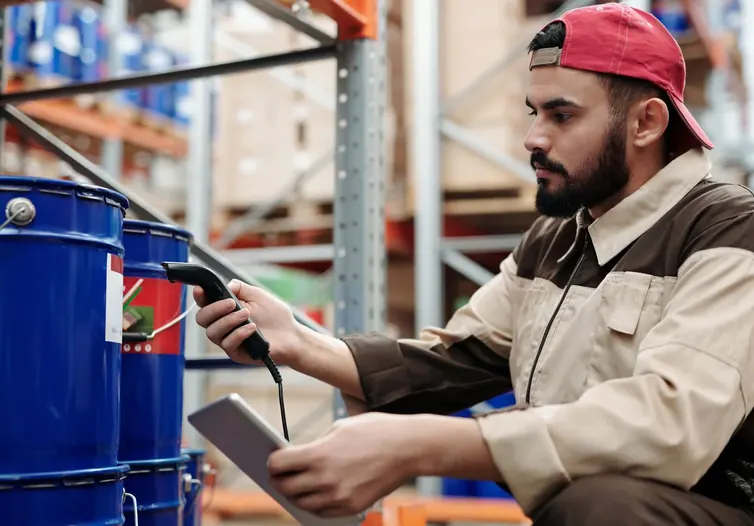
Barcode and QR scanning, picking, stock counts, route lists and proof of delivery with photo and signature, so stock and delivery status in the ERP stay accurate in real time.

Self-service apps where customers place orders, book services, track jobs, view invoices and receive notifications, connected to your back-office systems instead of running as a separate island.

Structured inspection forms for safety, quality, maintenance or property audits, with mandatory photos, GPS location, timestamps and automatic reports, replacing paper forms and spreadsheet uploads.

Mobile approvals for purchases, expenses, discounts and leave, plus simple dashboards for managers, so decisions do not wait until someone is back at a laptop.

Low-code business apps on Zoho Creator that run on iOS and Android from the same build as the web app, a fast route for internal apps in businesses that already run Zoho.

Practical AI inside the app, such as reading a document from a photo, suggesting the next step, summarizing a job or answering questions from your own data, with clear limits and human review.
How I Work
Understand the job and the users
 Observe how the work is done
Define users, roles and devices
Decide offline and sync needs
Choose cross-platform, native or low-code
Prototype, develop and test on devices
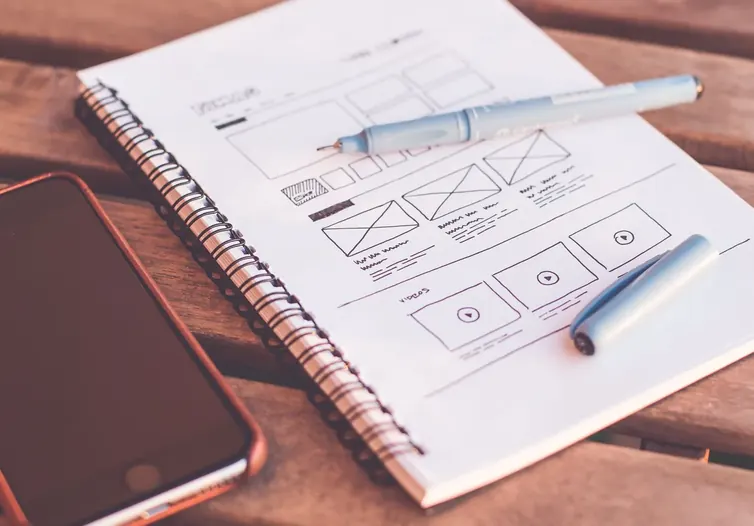
Clickable prototype with real users
Build in short iterations
Connect to ERP and CRM
Test on real phones
Publish, roll out and improve
App store or private distribution
Pilot with a small team
Training and rollout
Updates and support
Not every process needs an app. Sometimes a mobile-friendly web page, the mobile app that comes with your ERP or CRM, or a simple form does the job. I check those options first, because a custom app is something you will own and update.
A dedicated business app usually earns its place when:
If your standard system's mobile app already covers the need, I will help you configure it rather than build something new. For businesses on Zoho, Odoo or ERPNext, the platform pages explain what their own mobile apps can do.
The build approach affects cost, speed, performance and who can maintain the app later. I choose it based on the app's users and requirements, not on habit.
| Approach | Fits best when |
|---|---|
| Cross-platform, for example Flutter or React Native | One codebase should serve iOS and Android with a custom design, offline mode and device features, which covers most business apps |
| Native iOS and Android | The app depends heavily on specific device capabilities or platform features |
| Zoho Creator mobile apps | The business runs Zoho and the app is mainly forms, workflows, approvals and reports for internal users |
| Progressive web app | Users only need light mobile access, app store distribution is not required and offline needs are modest |
For internal business apps, Zoho Creator is often the fastest route because the same build runs on the web and in its mobile apps. Customer-facing apps and apps with demanding offline or scanning needs usually justify a cross-platform build.
The hardest part of a business app is rarely the screens. It is making sure that what happens on the phone ends up correctly in the office systems, even when the connection drops halfway through a job.
I design the data flow before building any screens:
The app connects to Zoho, Odoo, ERPNext, Dynamics 365 or other systems through their APIs, with errors logged and reported rather than silently lost. The system integration page explains this approach in more depth.
A field app that is slow or confusing gets abandoned, and the team goes back to paper and chat messages. Adoption is designed in from the first prototype.
Training is short because the app is built around how people already work. This follows the same adoption focus I bring to ERP training and go-live support.
Getting an app live involves more than finishing the code. I handle the release path and plan for the app's life after launch.
Cost depends mainly on the number of screens and user roles, offline and device needs, integrations and design polish. I scope a first release you can test in the field before committing to more features. To discuss your app, book a consultation.

Tell me about your business and current systems. I’ll suggest the most sensible first step.
Book a Consultation
Not sure which ERP you need?
Share your business requirements with me and I will help you understand the right process, architecture and platform before implementation.
By Country
Pages written for each market: local tax, e-invoicing, data hosting, migration sources and how the work runs remotely there.
FAQ
Yes. Most business apps I build use a cross-platform approach, so one codebase runs on both iPhone and Android devices. Where an app depends heavily on specific device features I can build natively, and for internal apps in Zoho businesses I often use Zoho Creator, which provides iOS and Android apps from the same build.
Yes, when the job requires it. I design offline mode from the start: the data needed for the day is stored on the device, work is captured offline, and changes sync to your ERP or CRM when a connection returns, with clear rules for conflicts and errors.
That is the main point of a business app. I connect apps to Zoho, Odoo, ERPNext, Dynamics 365 and other systems through their APIs, so jobs, orders, stock movements, photos and signatures captured on the phone appear in your office systems without re-keying.
Yes. I prepare the store listings and handle submission under your organization's own developer accounts, so you keep ownership. Internal apps can instead be distributed privately to your staff without a public store listing.
It depends on the number of screens and user roles, offline and device requirements such as scanning or GPS, the integrations and the level of design polish. I start with discovery and a prototype, then quote a first release, so you can test value in the field before adding features.
Yes. I design and build the apps myself, from discovery and prototype through development, integration, testing and release. You work directly with me, so the person who understood your process is the person who builds and supports the app.
Every business is different. Share where you are today and what you want to fix, and I’ll tell you honestly whether and how I can help.
Book a Consultation
Insights
 Book a Consultation
Book a consultation to talk through your processes, systems and goals. I’ll reply with practical next steps - no obligation.