
Contact Info

 Data Migration
What does an ERP data migration consultant do?
An ERP data migration consultant plans and controls the move of data from old systems into a new ERP. I separate master data from transactional data, agree what history to bring, set opening balances with finance, run cleansing, build mapping templates, and manage trial loads with reconciliation, so the new ERP starts with data the business trusts, whether it comes from Excel, QuickBooks, Tally or a legacy system.
Last reviewed by Vikas Saroj
A new ERP is only as useful as the data inside it. Duplicate customers, inconsistent item codes, old suppliers nobody uses and opening balances that do not tie back to the books will undermine confidence in the system from the first day. Data migration is also the workstream most often underestimated in ERP plans.
As an ERP data migration consultant, I treat migration as its own project within the implementation. I decide with you what to migrate and what to leave behind, define the mapping from old fields to new ones, organize cleansing with the people who own each data set, and run trial loads that are reconciled before anything is approved for go-live.
I work with migrations from spreadsheets, QuickBooks, Tally, older ERPs and in-house systems into platforms such as Zoho, Odoo, ERPNext and Microsoft Dynamics 365.
 What I Do
Each part of the migration has a clear owner, a template and a way to prove it worked.

I agree what data moves, how much history to bring, which objects are loaded in which order, and how the old system will be archived or kept read-only for reference after go-live.

A list of every source: spreadsheets, accounting software, legacy databases, CRM exports and shared drives, with owners, volumes and an honest view of the quality of each.

Rules for removing duplicates, closing dormant records, standardizing names, units, tax codes and addresses, with business owners responsible for decisions and deadlines for each data set.

Field-by-field templates that show the source, the target field in the new ERP, transformation rules, default values and mandatory fields, so loads are repeatable and reviewable.

Several practice loads into a test environment, each followed by checks and fixes. By the final rehearsal, the load steps and timings are known and the surprises are gone.
Record counts, control totals, sample checks and financial tie-outs agreed with finance and signed off by data owners, so migrated data is proven rather than assumed to be correct.

Working with your finance team and accountant on the trial balance, open receivables and payables, stock quantities and values, and bank balances at the cutover date.

A dated, step-by-step plan for the final extract, freeze period, load, reconciliation and sign-off, aligned with the go-live plan and the business calendar.
My Consulting Journey
Business first, technology second. You can hire me for one step - a BRD, a gap analysis, a vendor shortlist - or for the whole journey.
How I Work
Know what you have
 Source system inventory
Data quality profiling
Scope and history decisions
Owners for each data set
Source system inventory
Data quality profiling
Scope and history decisions
Owners for each data set
Clean, map and rehearse
Cleansing rules and tracking
Field mapping templates
Trial loads in test
Reconciliation after each load
Move and prove it
Freeze and final extract
Production load sequence
Opening balance tie-out
Owner sign-off and archive
The first decision in any ERP data migration is what to bring across. The answer is rarely "everything". I split the data into categories and agree a rule for each:
For history, there are usually three options: migrate full detail, migrate summarized balances by period, or leave history in the old system and keep it accessible for reference and audit. The right choice depends on reporting needs, legal retention rules and how often people genuinely look things up. I help you decide based on actual use, not on fear of losing something. This decision is often the single biggest factor in migration effort, so I make it early and record it in the scope.
Each source system brings its own challenges, and the plan should reflect them.
Excel and shared spreadsheets. Often the hardest source, because there is no enforced structure. The same customer may appear under three spellings, item codes may be inconsistent between files, and important information sits in comments or colors. Cleansing here is mostly business work, and it needs the people who maintain the sheets.
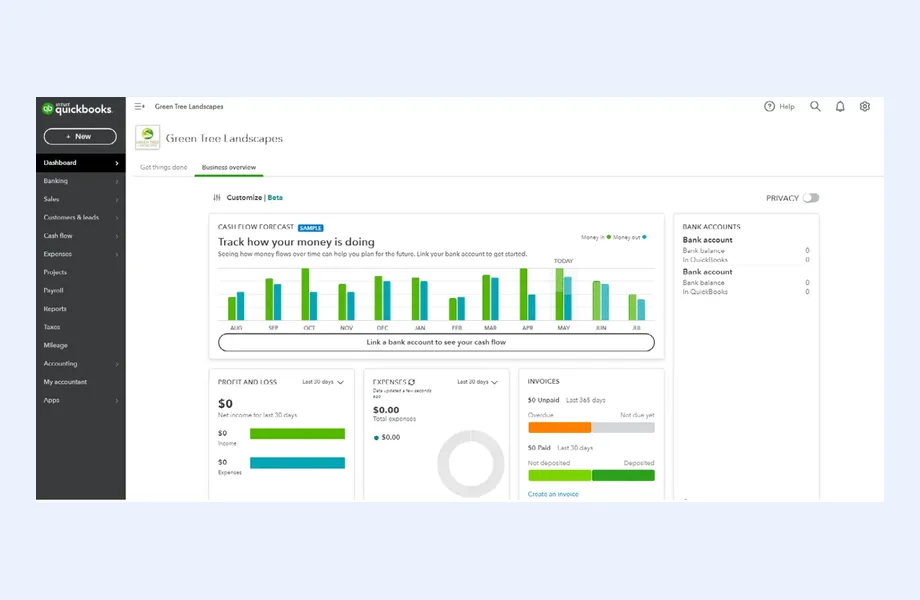
QuickBooks and similar accounting tools. Accounting data is usually well structured, but the chart of accounts, tax codes and item lists may not match how the new ERP is designed. Classes, locations or custom fields may need to map to dimensions, departments or cost centers.
Tally. Ledger groups, stock groups and voucher types need careful mapping to the new chart of accounts and item structure. Tax data and party ledgers often need cleanup before they fit a more structured ERP model.
Legacy ERPs and in-house systems. These can hold years of data in custom tables. The challenge is understanding what each field actually means, which often requires talking to the people who built or used the system for a long time.
Whatever the source, I keep the target design in charge. Data is reshaped to fit the new processes, not the other way round. The ERP migration checklist summarizes the steps for each stage.
Data cleansing is a business task supported by tools, not a technical task the IT team can finish alone. Only the sales team knows which customer records are real, and only the warehouse knows which item codes are still in use. I organize the work so it is achievable alongside normal operations:
Mapping templates make the migration repeatable. For each object, such as customers, items or open invoices, the template shows:
| Column | Purpose |
|---|---|
| Source field | Where the value comes from today |
| Target field | Where it lands in the new ERP |
| Transformation rule | Formatting, code conversion or split and merge logic |
| Default value | What to use when the source is blank |
| Mandatory and validation | Checks the record must pass before loading |
Templates are reviewed by both the data owner and whoever configures the ERP, so mismatches between data and design surface early. They also feed directly into the ERP solution design when the data reveals a design gap.
No migration should go into production without rehearsal. I plan several trial loads into a test environment, usually starting with master data, then open transactions, then balances. After each load, the results are reconciled and the issues fixed in the source data, the templates or the load scripts.
Reconciliation is how a migration is proven. The checks I use include:
Opening balances need close coordination with your finance team and external accountant. We agree the cutover date, confirm the closing trial balance, and decide how to load receivables and payables at invoice level so aging and collections work from day one. Stock quantities and values are tied to a physical count or a confirmed stock report.
Each data owner signs off their reconciliation. Those sign-offs become part of the go-live decision, alongside test results from ERP testing and UAT. Users also test with migrated data, which tends to expose issues that clean test data hides.
The final migration happens during the cutover window, which is usually short and under pressure. A good cutover plan lists every step with an owner, a planned time and a check:
The rehearsals tell you how long each step takes, so the cutover can be scheduled around month-end, peak seasons and business holidays. I align the migration cutover with the wider go-live plan and the rollback position.
An independent ERP data migration consultant helps because the incentives are clean. Implementation partners sometimes scope migration narrowly and assume the client will provide clean, formatted data. Internal teams are usually too busy to own it properly. I sit between both, making sure the scope is realistic, owners are clear and reconciliation is done thoroughly, so nobody discovers the problems in the first month-end close. If you are earlier in the process, my ERP implementation service covers how migration fits into the wider plan.

Tell me about your business and current systems. I’ll suggest the most sensible first step.
Book a Consultation
Not sure which ERP you need?
Share your business requirements with me and I will help you understand the right process, architecture and platform before implementation.
FAQ
Usually less than people expect. Master data, open transactions and balances are essential. Full transaction history is costly to migrate and often rarely used. Common alternatives are migrating summarized balances by period or keeping the old system read-only for reference. The decision should reflect reporting needs, legal retention rules and how often history is actually consulted.
The business owns the data, so the business makes cleansing decisions. I set up the rules, templates, profiling and tracking, and help resolve tricky cases, but sales, purchasing, warehouse and finance teams need to decide which records are valid. Tools can find duplicates; only people can decide which record is right.
Yes. These are common migration paths. The work involves mapping the chart of accounts, tax codes, party ledgers and items into the new structure, cleansing them, loading opening balances and open invoices, and reconciling the result with your accountant. The exact tools depend on the target platform.
Enough to make the final load predictable. Most projects need at least a couple of full rehearsals after the initial test loads, with the last one run exactly as the production cutover will be. If a rehearsal still produces significant reconciliation differences, another one is cheaper than a troubled go-live.
It is usually set to read-only and kept for reference and audit for a defined period. In some cases the data is exported to an archive instead. I help you decide which option suits your retention obligations and licensing situation, and make sure people know where to look for historical information.
Every business is different. Share where you are today and what you want to fix, and I’ll tell you honestly whether and how I can help.
Book a Consultation
Insights
 Book a Consultation
Book a consultation to talk through your processes, systems and goals. I’ll reply with practical next steps - no obligation.

