

E-Invoicing Readiness: What Your ERP Must Handle
By Vikas Saroj, ERP, Digital Transformation & Growth Consultant
Key takeaways
- E-invoicing turns the invoice into structured data that is validated automatically, so every mandatory element must exist as a proper ERP field.
- Clearance regimes such as ZATCA, India's IRP, SDI and MyInvois validate invoices centrally; Peppol networks exchange them between access point providers.
- Readiness depends mostly on master data, tax code mapping, credit notes, gap-free numbering, error handling and archiving, not only on the connector.
- Zoho, Odoo, ERPNext and Dynamics 365 use country editions, localization modules or third-party apps; confirm current coverage for your country.
- Test real scenarios, including rejections and outages, and let your tax advisor confirm scope and timelines before go-live.
To be ready for e-invoicing, your ERP must produce every invoice and credit note as complete, structured data that a tax authority or an exchange network can validate, send it through an approved channel, store the response (an identifier, a stamp or a QR code) against the document, and handle rejections without breaking your numbering or your books. Most of the readiness work is not the connector itself: it is clean master data, correct tax codes and a clear process for errors. Below I explain the main e-invoicing models and give an e-invoicing readiness checklist you can work through with finance and IT.
One note before the detail. Scope, formats and timelines differ by country and change often, so I describe the direction and what the ERP has to do. Confirm your own obligations and timelines with your tax advisor.
What e-invoicing changes compared with PDF invoices
A PDF invoice is a picture of an invoice. A person reads it, and small mistakes are fixed by email. An e-invoice is machine-readable data in a defined format, usually XML or JSON based on standards such as UBL, and in many regimes that data is the legal invoice. The PDF becomes, at most, a readable copy. Four changes matter for the ERP:
- Structured data. Every mandatory element must exist as a proper field: buyer tax number, address parts, item classification, tax category, unit of measure code, currency. Free text typed onto a print template no longer counts.
- Clearance or post-audit. In a clearance model the authority, or its platform, validates the invoice before or at the moment it is issued. In a post-audit model the parties exchange invoices directly and the authority checks later, often supported by periodic or transaction-level reporting.
- QR codes, identifiers and stamps. Many regimes require a QR code, a unique invoice identifier, a digital signature or a cryptographic stamp, and some of these come back from the authority and must appear on the copy you send.
- Real-time or near-real-time reporting. Transaction data reaches the authority within a short window, not only in a monthly or quarterly return.
The practical consequence: errors that someone used to correct quietly now fail validation automatically, and a rejected invoice may not yet be a valid invoice at all.
The main e-invoicing models
Clearance and real-time models
In these regimes the ERP, or a provider acting for it, talks to a government platform. Examples, described generally:
- Saudi Arabia (ZATCA): invoices are generated in a structured format with a cryptographic stamp and QR code, and the solution is onboarded with the authority. Standard tax invoices go through clearance, while simplified invoices are reported. ZATCA e-invoicing ERP projects usually spend most effort on onboarding, stamping and the QR code.
- India (GST e-invoicing): invoice data is reported to the Invoice Registration Portal (IRP), which returns an Invoice Reference Number and a signed QR code that must appear on the invoice. A GST e-invoice ERP setup often connects to e-way bill generation as well.
- Italy (SDI): invoices pass through the Sistema di Interscambio, a central hub that validates them and delivers them to the buyer.
- Egypt: invoices are digitally signed and submitted to the tax authority's e-invoicing platform.
- Malaysia (MyInvois): invoices are submitted through the MyInvois portal or API, validated, and returned with a unique identifier and a QR code link. A MyInvois ERP integration therefore needs to store and print the validation details.
- Poland (KSeF): the direction is to move business invoicing onto a central national system where structured invoices are issued and received.
Peppol-based networks
Peppol is an open network with shared document standards. You connect to an access point provider, which delivers the invoice to the buyer's access point, so you do not build a separate connection for each customer. Peppol e-invoicing ERP setups use formats such as Peppol BIS Billing, aligned with the European standard EN 16931. Examples include Singapore's InvoiceNow, Australia and New Zealand, Belgium, the Nordic countries and EU public procurement, where public bodies must be able to receive standard-compliant e-invoices. Some countries are adding tax reporting on top of the network, and the UAE has announced a Peppol-based model that works through accredited service providers.
The broader EU direction
The EU's VAT in the Digital Age package points toward structured e-invoicing and digital reporting for cross-border trade, and several member states, including France and Germany, are moving domestic business invoicing the same way. Expect a mix of national platforms and Peppol exchange. If you sell into more than one EU country, plan the ERP design once rather than country by country.
E-invoicing readiness checklist
This table is the core of my e-invoicing readiness checklist. Run it against a sample of real invoices from each entity, not against a demo.
| Area | What the ERP must handle | What to check |
|---|---|---|
| Master data | Complete customer, supplier and item records with structured addresses | Missing tax numbers, free-text addresses, duplicate customers, items without classification codes |
| Tax codes | Tax categories that map to the official codes, including zero-rated, exempt, out-of-scope and reverse charge | One ERP tax code per legal treatment; no "misc" codes; exemption reason text where required |
| Credit and debit notes | Corrections that reference the original invoice and follow the regime's rules for cancellation | Can a cleared invoice be cancelled, or only credited? Is the original reference captured automatically? |
| Document numbering | Sequential, gap-free series per entity or branch, with no reuse after a rejection | How drafts, rejected and resubmitted invoices affect the series |
| Buyer identifiers | Tax numbers, registration numbers or Peppol IDs for business buyers, plus simplified handling for consumers | Validation on the customer record, and who updates it when a buyer changes registration |
| Attachments | Supporting documents such as timesheets, delivery notes or contracts, where the format allows them | File size and type limits; whether the PDF copy is embedded or sent separately |
| Error handling | Rejection messages captured against the invoice, a queue for corrections, and resubmission | Named owner, daily review, and what happens if the platform is unavailable |
| Archiving | Storage of the submitted file, the response, stamps and QR data for the required retention period | Where the legal copy lives, how it is searched, and whether it survives an ERP change |
| Integration method | Native ERP module, accredited or certified provider, or middleware | Who maintains it when formats change, and how errors flow back into the ERP |
Choosing the integration method
- Native ERP module or localization. Least moving parts and errors appear on the invoice screen. It depends on the vendor keeping pace with format changes in your country.
- Certified or accredited provider. A specialist e-invoicing vendor, Peppol access point or service provider handles formats, signing and transmission. Useful across several countries, but it adds a contract and a second place to look when something fails.
- Middleware. An integration platform maps ERP data to the provider or authority. Flexible for older or heavily customized ERPs, but you own the mapping and must maintain it.
Whichever you choose, the design questions are the same ones I cover in ERP integration: where data is owned, how failures are alerted, and how the response is written back to the source document.
How Zoho, Odoo, ERPNext and Dynamics 365 typically handle it
All four platforms approach e-invoicing through a mix of country editions, localization modules and third-party connectors. Coverage changes often, so treat this as a starting point and confirm the current status for your country with the vendor and your advisor.
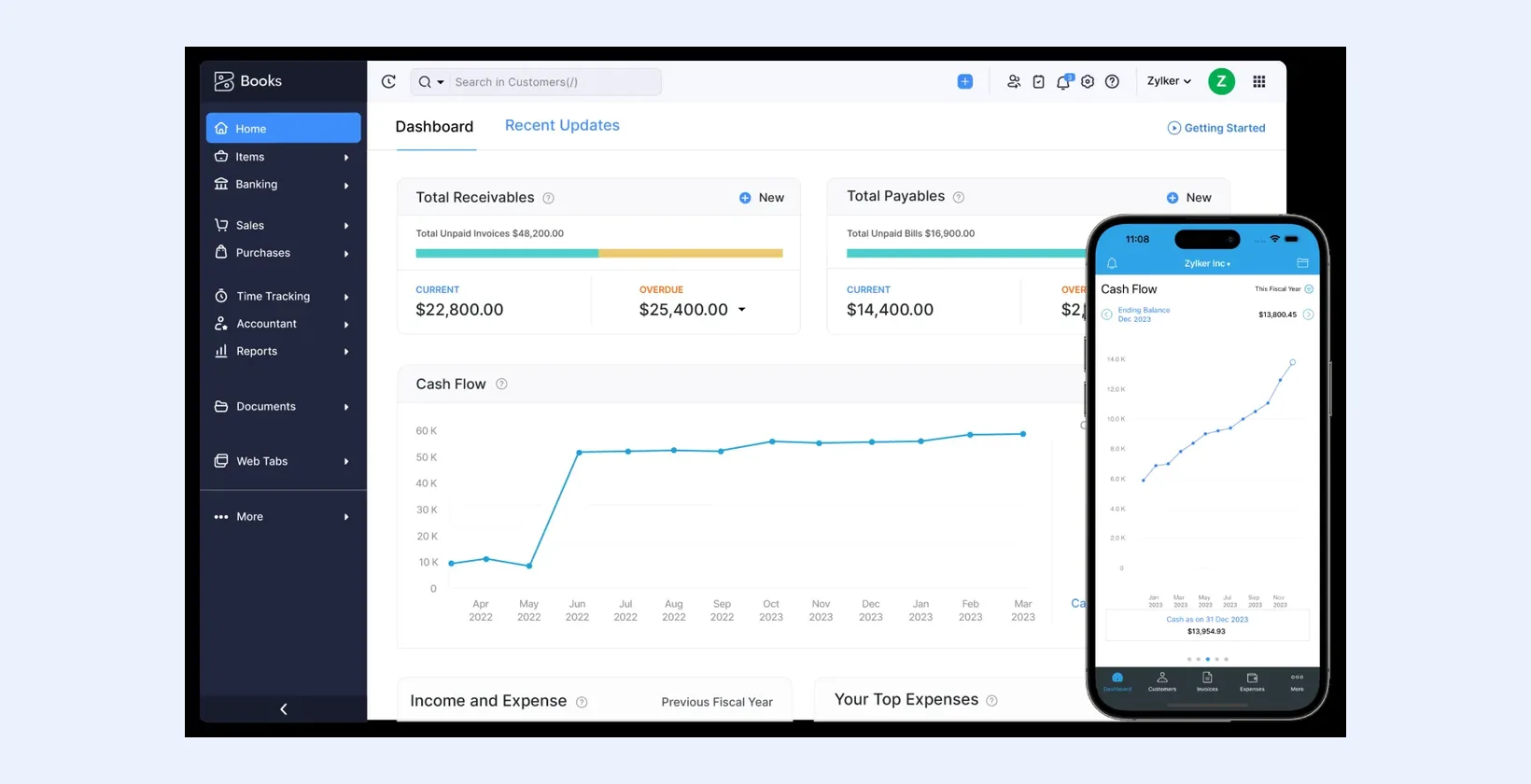
- Zoho: Zoho Books uses country editions, and in several markets, including India and Saudi Arabia, those editions include e-invoicing features. Elsewhere, check whether the edition supports the regime natively or needs an integration.
- Odoo: e-invoicing comes through fiscal localization and electronic document modules for many countries, along with Peppol sending. Check which version and edition the module for your country needs, and how it handles credit notes.
- ERPNext: usually relies on country apps built by the community or third parties, for example an India compliance app for GST e-invoicing. Review who maintains the app and how quickly it follows format changes.
- Dynamics 365: Finance and Supply Chain Management use Microsoft's electronic invoicing and globalization features for supported countries, while Business Central relies on country localizations, e-document features and apps from its marketplace. Confirm which apply to your country and license.
If a native option exists, test it against your awkward cases before assuming it covers you. If it does not, the provider choice becomes part of your ERP requirements gathering and should be scored like any other requirement. My ERP requirements checklist already has a tax line you can expand.
Testing and go-live steps
- Confirm scope with your tax advisor: which entities, transaction types and buyers are in scope, and what format and channel apply.
- Run a field gap analysis on real invoices: list every mandatory element and where it comes from in the ERP.
- Cleanse master data before configuration, starting with buyer tax numbers and tax codes.
- Configure in a sandbox connected to the authority's or provider's test environment, where one exists.
- Test a scenario pack: standard and simplified invoices, credit and debit notes, discounts, multi-currency, zero-rated and exempt lines, exports, cancellations, rejections, resubmission and a platform outage. This belongs in your ERP testing and UAT plan, with sign-off by finance.
- Prepare cutover: numbering series, credentials and certificates, user roles, print templates and a fallback procedure.
- Go live with close monitoring: review rejections daily for the first weeks and reconcile submitted invoices against the sales ledger.
The role of your tax advisor
E-invoicing sits between tax law and system design, and the two roles should not be blurred. Your tax advisor decides what applies: which transactions are in scope, how each supply is classified, which tax treatment and exemption reasons apply, how long records must be kept, and what your timelines are. The ERP side, which is where I help, turns those decisions into fields, codes, mappings, workflows and tests, and makes sure the system can prove what was sent. I bring the advisor into the tax-code mapping review and the test sign-off, because a technically valid invoice with the wrong tax treatment is still wrong.
Next steps
If e-invoicing is coming to a country you operate in, start with the checklist above and a sample of real invoices. If you want an independent review of your ERP's readiness, or help planning the work as part of an ERP implementation, contact me to talk it through.
Frequently Asked Questions
What does an ERP need for e-invoicing?
It needs complete structured data for every mandatory field, tax codes that map to the official categories, gap-free numbering, correct credit note handling, and a channel to the authority or network through a native module, a provider or middleware. It also needs to store the response, such as an identifier, stamp or QR code, and manage rejections and archiving.
What is the difference between clearance and Peppol e-invoicing?
In a clearance model a government platform validates each invoice before or as it is issued, and the ERP must wait for and store the response. In a Peppol model invoices travel between the seller's and buyer's access point providers using shared standards, and some countries add tax reporting on top. The ERP data requirements overlap, but the connection and error handling differ.
Should I use my ERP's native e-invoicing module or a third-party provider?
If a native module covers your country and passes tests on your real scenarios, it is usually simpler because errors appear on the invoice itself. A certified or accredited provider makes more sense across several countries or when the ERP has no reliable native option. Either way, check who maintains the solution when formats change.
Who decides which e-invoicing rules apply to my business?
Your tax advisor. They confirm which entities and transactions are in scope, how supplies are classified, retention rules and your timelines. An ERP consultant then turns those decisions into fields, tax codes, mappings, workflows and test cases, and checks that the system can show what was sent and accepted.

Written by Vikas Saroj
Independent ERP, digital transformation & growth consultant helping businesses map processes, implement Zoho, Odoo and ERPNext, automate operations and grow online. · LinkedIn
 Insights